DASHBOARD: Get your daily performance snapshot
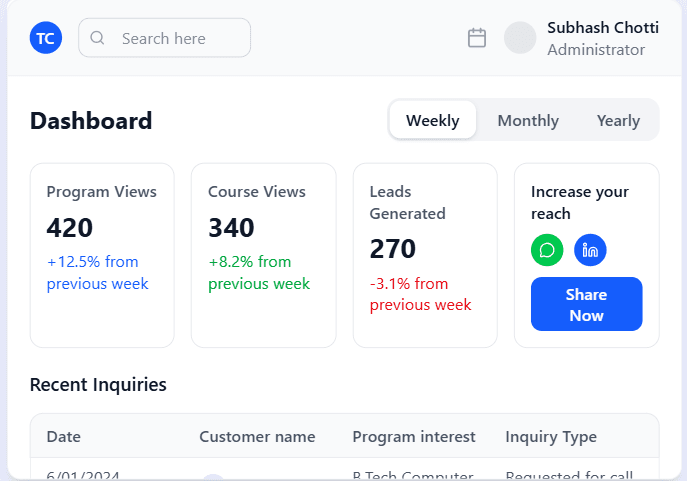
Your dashboard is the first thing you"ll see, giving you an instant overview of what's new and important. Track your key metrics and see new inquires the moment you login.
At the top, find your Key Metric Cards to see real-time views and leads.
Check the Recent Inquiries list for your latest messages.
Glance at the Performance Chart to spot trends over the last week.
LEAD MANAGEMENT: Turn interest into enrollment
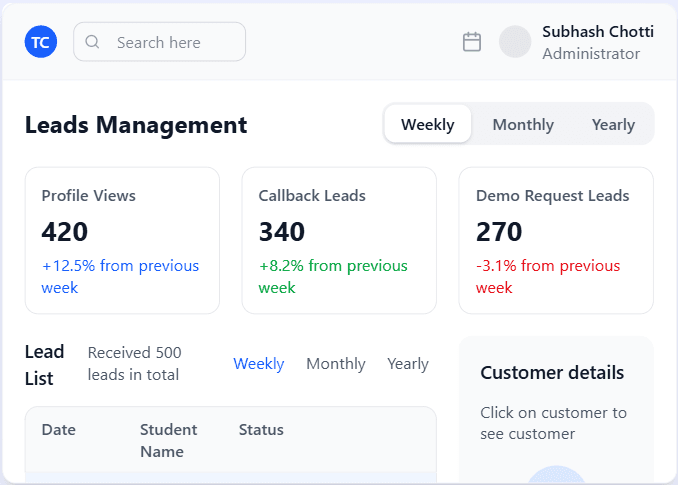
Our integrated CRM is built specifically for education. Manage student inquiries, categorize leads by interest level, and use status dropdowns to move prospects through your enrollment funnel seamlessly.
Instant lead notifications via email and dashboard
Customized status tracking (New, Contacted, Interviewed, Enrolled)
Export lead data for external marketing campaigns
DATA & INSIGHTS: Make smarter, data-driven decisions
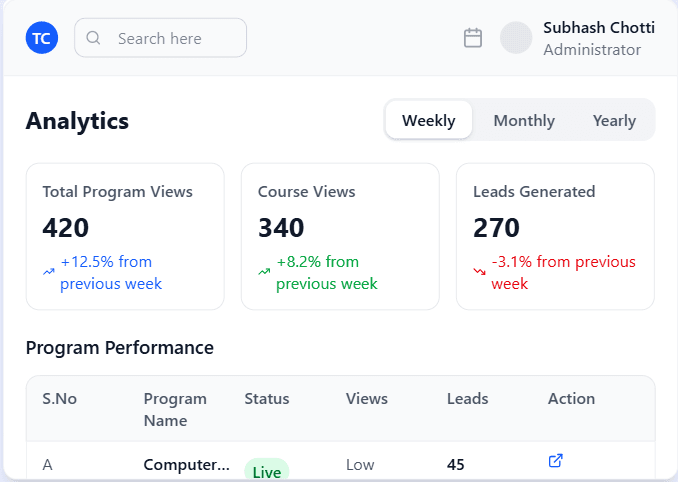
Stop guessing what works. Our advanced analytics suite provides deep insights into lead trends, source performance, and seasonal peaks. you can understand which programs are successful and what students are most interested in.
Navigate to the Analytics page.
Use the Data Range filter to select your desired period.
Review the Course Performance table to identify your top programs.
Use the View & Lead Trends chart to see how profile views correlate with new leads.
BILLING & LISTINGS:
Manage your account
with clarity
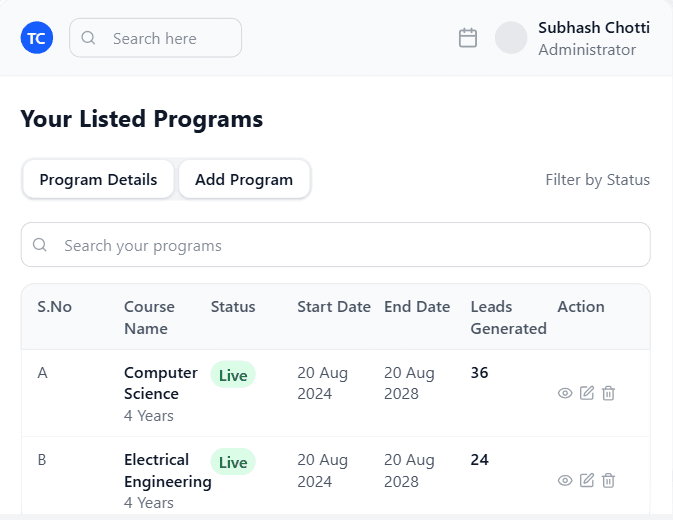
Control your budget and visibility in one place. Monitor your active course listings, review detailed billing history, and download PDF invoices for your records.
Navigate to the Subscription page from the side menu.
Check the 'My Program Listings' widget for active listings
Review your billing history in the 'Payment History' section.
Click the Download icon to save invoices as PDFs.
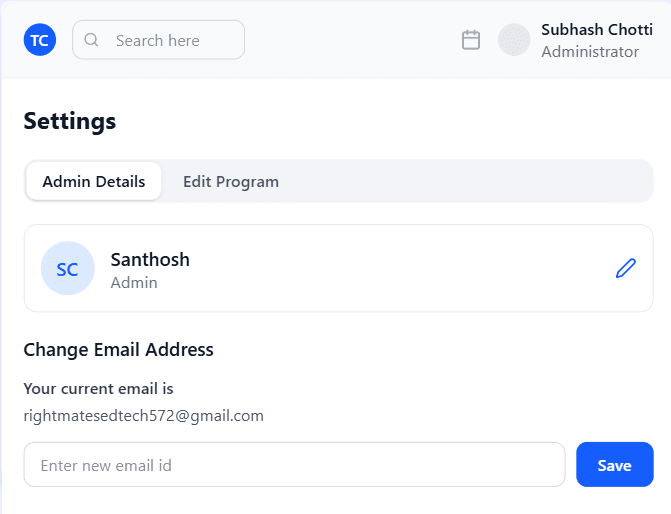
PROFILE MANAGEMENT: Keep your institute fresh
Your institute's public profile is your digital storefront. Your offerings and details can change. Our simple editor lets you update your profile, add new courses, or upload a new brochure in just a few clicks.
Go to the Settings page and select the Edit Course tab.
Choose the course you want to update from the list.
Make your changes in the form and click Save to publish instantly.